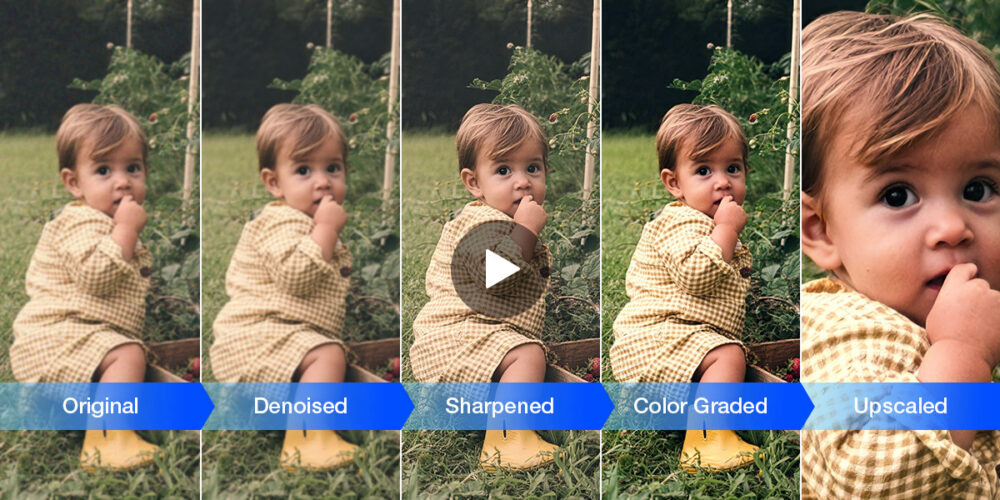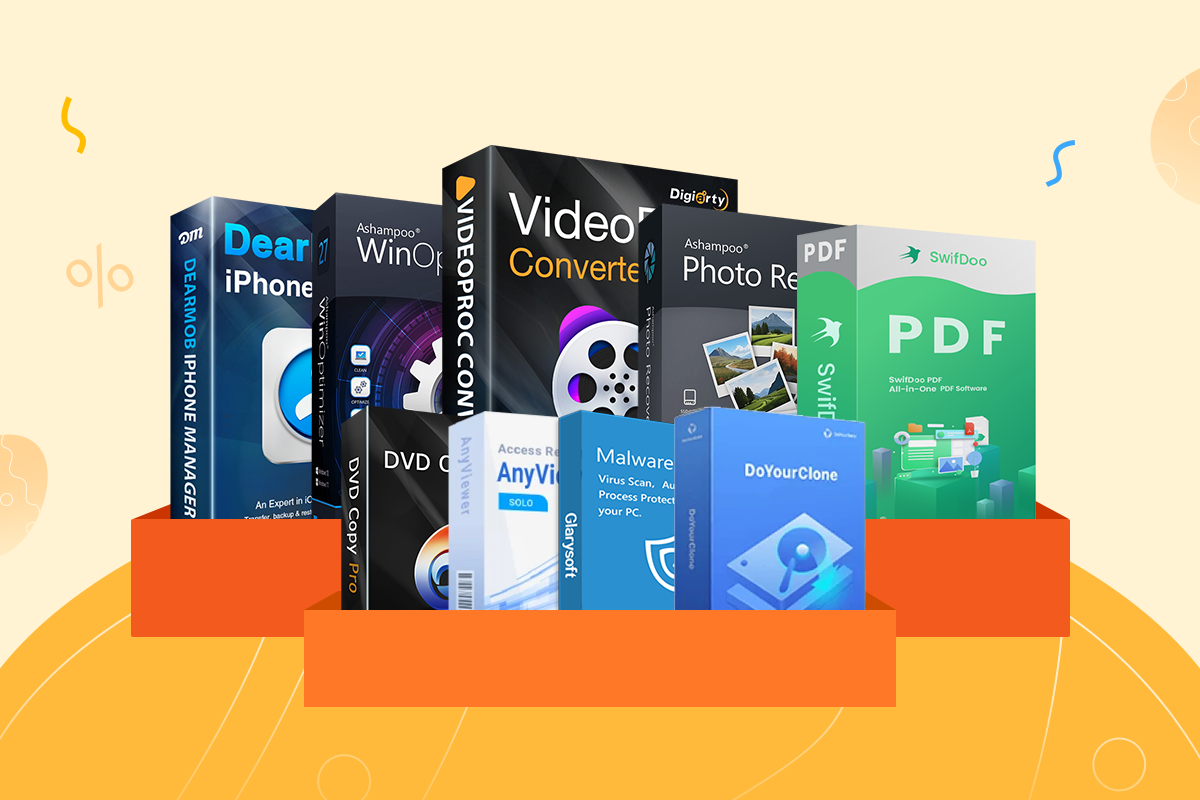
Digiarty’s latest VideoProc Converter AI update serves as a practical companion for capturing and refining seasonal memories, making the upcoming Easter holiday an apt time to try the software’s recently released version 8.9. Rather than introducing new features, the company is focusing on how its existing AI-driven tools fit into everyday scenarios, particularly casual video, photo, and audio capture. It’s also backing that push with a limited-time Easter Mega Deal promotion (see info below), which the company is highlighting alongside the update.
At its core, the idea is straightforward: most people document holidays like Easter across multiple devices, often ending up with footage that’s shaky, inconsistent, or difficult to share. VideoProc’s all-in-one approach is designed to simplify that process without requiring a traditional editing workflow.
AI Tools Aimed at Real-World Shooting Conditions
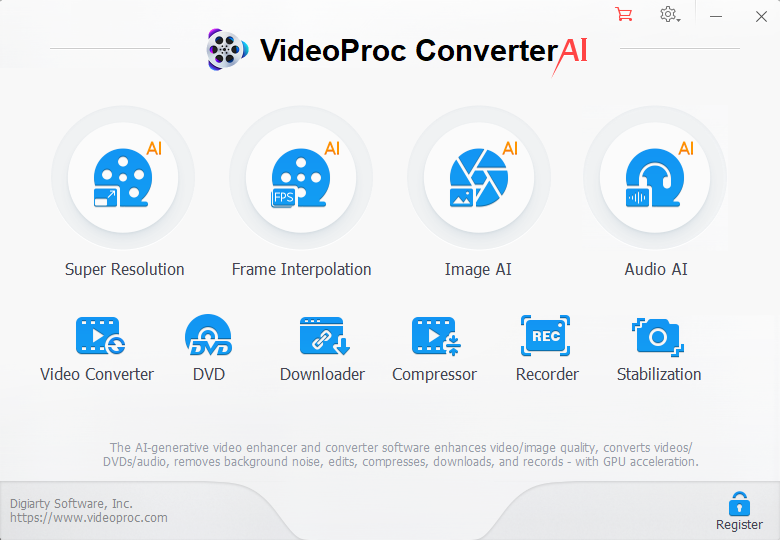
VideoProc’s latest update centers around AI-powered enhancements, as shown below:
The current version of VideoProc Converter AI leans heavily into automated enhancement, with a clear focus on improving footage captured in less-than-ideal conditions, particularly from smartphones. Rather than isolating features into separate workflows, the software bundles multiple AI tools into a single, streamlined pipeline.
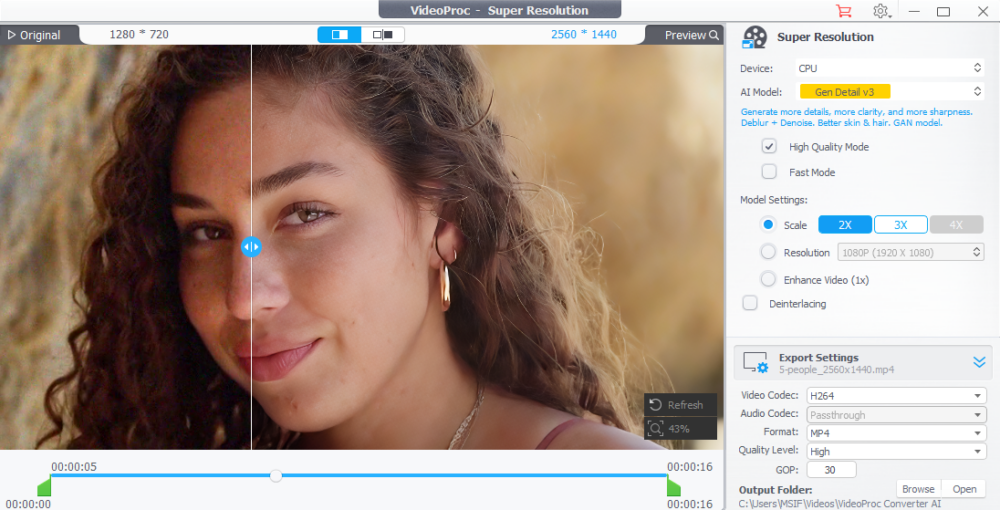
AI Super Resolution
At the center of that toolkit is AI Super Resolution, which is designed to upscale footage and still images without requiring manual intervention. VideoProc says it can boost video resolution up to 4K and images up to 8K, making it easier to repurpose clips captured on lower-resolution devices. In practice, this is most useful when combining footage from multiple sources or preparing content for viewing on larger displays, where inconsistencies in resolution become more noticeable.
AI Stabilization
For handheld footage (which is arguably the most common type of casual capture), AI Stabilization works to reduce camera shake. Makes sense, right? This is super useful for footage that documents outdoor activities or family events, where using a tripod or gimbal isn’t realistic. The goal isn’t to replicate professional stabilization systems, but to make spontaneous clips more watchable without additional editing. Even a touch of stabilization can go a long way.
AI Frame Interpolation
AI Frame Interpolation addresses motion by smoothing out playback and generating additional frames where needed. This can help reduce choppiness in clips with inconsistent frame rates and also enables simple slow-motion effects. It’s a subtle addition, but one that can improve perceived quality without requiring users to manually adjust timing or frame rates.
AI Image Enhancement
For still photography, VideoProc includes AI-based image enhancement tools aimed at restoring older or lower-quality photos. These tools focus on improving clarity, refining details, and correcting visual degradation. You’ll no doubt find these features especially relevant if you’re revisiting archived images or digitized prints.
Taken together, these tools aren’t positioned as replacements for professional editing software. Instead, they’re designed to make everyday footage more consistent and usable, particularly when content is captured quickly across different devices in unpredictable conditions.

Audio Cleanup and Cross-Platform Sharing
Beyond visual improvements, VideoProc also puts emphasis on audio. This is an area that often suffers in casual recordings.
The software includes built-in noise suppression, which helps clean up dialogue and reduce background noise, whether it’s from outdoor environments or crowded indoor settings. This can make a noticeable difference when revisiting clips where audio clarity wasn’t a priority during capture.
Once media is processed, VideoProc shifts focus to compatibility and distribution. The software includes format conversion and compression tools that allow users to prepare files for different platforms without needing additional software. This is paired with basic editing functionality, such as trimming clips, which helps streamline the process of getting content ready to share.
The broader goal here is to simplify what is often a fragmented workflow. Instead of moving files between multiple apps for editing, converting, and exporting, VideoProc keeps those steps in one place, making it easier to move from capture to sharing, whether that’s through messaging apps, social platforms, or playback across different devices.
What’s New in Version 8.9
While the Easter campaign focuses on use cases, version 8.9 does introduce a handful of functional updates:
- Language Detection for Video Downloads (Mac & Windows): Automatically selects and downloads content in a preferred language
- Audio-Only Recording (Mac, macOS 13+): Enables standalone voice or system audio capture
- Updated Recording Engine (Mac): Improves stability for screen recording, including iPhone capture and system audio
These updates are incremental but practical, continuing VideoProc’s focus on accessibility rather than expanding into high-end editing territory.
Pricing and Easter Promotion
As noted throughout the article above, VideoProc is currently running a limited-time Easter promotion, which includes a buy-one-get-four-free bundle available through its official offer page. It’s a pretty solid deal, clearly aimed at pulling in new users who want something simple for cleaning up and sharing clips without getting into more complex editing software.
If you want to take a closer look at what the software actually offers, you can check out the full breakdown on the VideoProc Converter AI product page here.
Like most seasonal promos, it won’t last long, so pricing will likely go back to normal once the Easter campaign ends.
Final Thoughts
VideoProc’s latest push isn’t about competing with professional editing platforms; it’s about streamlining the messy reality of everyday media capture. By bundling AI enhancement, recording, and conversion tools into a single interface, it’s clearly aimed at users who want better-looking results without investing time in traditional post-production, something the company is leaning into with its seasonal Easter promotion. The real value comes down to how well these AI tools hold up across varied, real-world footage, and the direction is clear: simplify, automate, and keep everything in one place.